|
|||||
|
Dropdown Web Button
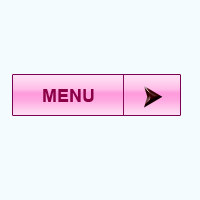
You are going to learn how to create a dropdown web button. It is used to show sub hidden options. I have applied pink color to make it more beautiful and attractive; you can also do it by follow this example. Insert a new document with any size, select a Rectangle tool (U key) and create a shape with any color on the document.
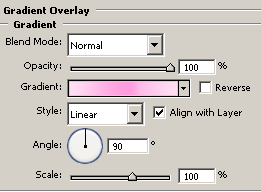
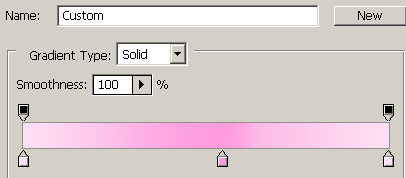
Apply gradient color in the button, go Layer menu > Layer style > Gradient Overlay. Choose pink color of different shade and adjust the position, adjust angle and set values.
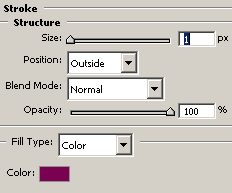
Apply stroke on the button, go Layer menu > Layer style > Stroke and change stroke color.
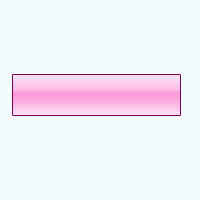
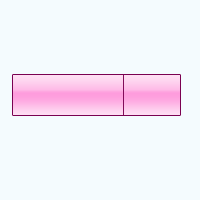
The button would look like this.
Select Line tool (U key) and draw on the button with selected "#820a59" color to make partition.
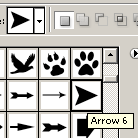
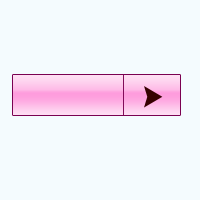
Now apply arrow on the little part, select Custom shape tool (U key) and choose "Arrow 6" symbol and apply on the button with "#360101" color.
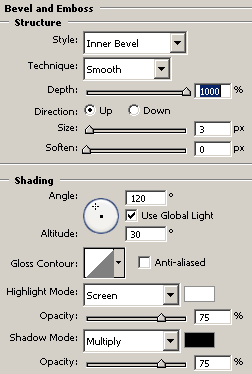
Apply bevel effect on the arrow symbol, go Layer menu > Layer style > Bevel and Emboss and choose same color, adjust angle and size.
Select Horizontal type tool (U key) and type text on the button that is the final result.

Santosh KumarThis is santosh kumar living in New Delhi (India) and love to work as a Web & Graphic Designing. I like to create sketch, background, illustration and vector graphics. Tutorialbunch.com is a very good place where I express my creativity. |
|||||
|
|||||